De Fashion Google Slides: A Complete Presentation Toolkit
Imagine this: you have a major pitch meeting in two days, a client presentation next week, and a marketing seminar the week after that. You know the content is solid, but the thought of designing three visually distinct, professional slide decks from scratch is enough to make you want to outsource the whole thing. We’ve all been there—staring at a blank slide, trying to wrestle with placeholder text and clunky clip art. The reality is, the visual medium of your presentation is just as critical as the data you are presenting. A disjointed layout or an amateurish color scheme can distract your audience and dilute your message, no matter how good your script is.
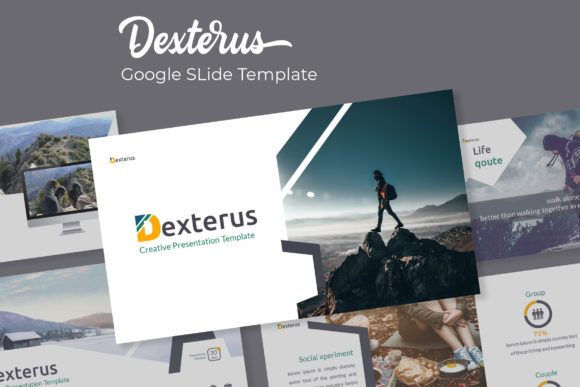
This is where the right design asset becomes a lifeline. Enter the De Fashion Google Slide Template. Despite the name suggesting a focus on the runway, this toolkit is actually a masterclass in modern typography and clean design structure, making it a versatile powerhouse for anyone who values sleek, professional aesthetics. It isn't just a collection of pretty pictures; it is a comprehensive system designed to streamline your workflow while elevating your visual identity. With over 150 total slides and five premade color variations, this package offers the kind of flexibility that usually costs a fortune when hiring a professional designer.
More Than Just Slides: A Visual Communication System
What makes the De Fashion template stand out in a sea of generic PowerPoint files is its attention to detail and "pixel-perfect" approach. When you open the files, you aren't greeted with chaotic layers or uneditable elements. Instead, you get a structured environment based on Master Slides. This is a technical feature with a massive practical benefit: it ensures visual consistency. If you decide halfway through your presentation that your main accent color should be a deeper shade of teal, you change it once on the master slide, and it updates across the entire deck instantly. This saves hours of manual tweaking and prevents the embarrassing mistake of having one slide look slightly different from the rest.
The package includes 5 PPTX files in a widescreen format, with 30 slides dedicated to each of the five unique color themes. These aren't just recolored duplicates; the color palettes are handcrafted to suit different moods, from corporate professionalism to creative flair. Because it utilizes free fonts (with download links included in the readme file), you avoid the headache of licensing issues or missing font errors when you open the file on a different computer. It is a "plug-and-play" solution that respects both your time and your budget.
Practical Applications for the Modern Creator
You might be wondering if a "Fashion" template fits your specific niche. The answer is likely yes, provided you care about aesthetics. The clean lines and sophisticated typography inherent in this premium font and slide design make it ideal for a wide range of industries. It works beautifully for branding decks, where you need to present mood boards and color theories with clarity. It is equally effective for editorial design presentations, helping you lay out magazine spreads or blog content strategies in a visually engaging way.
For the entrepreneur or small business owner, the utility extends far beyond the boardroom. Consider how you might use these slides for:
- Packaging Design: Use the gallery and portfolio slides to mock up your product packaging concepts before sending them to the printer.
- Social Media Graphics: The clean layouts can be screenshot or exported to create cohesive Instagram stories or Pinterest pins that align with your brand identity.
- Marketing Assets: Create lookbooks, rate cards, or media kits that look like they were assembled by a high-end agency.
- Digital Products: If you are selling courses or workshops, the section break slides provide a perfect visual pause for students.
The inclusion of handcrafted infographics is particularly useful for data-driven presentations. Instead of struggling to align text boxes to create a timeline or a pie chart, you simply use the editable vector graphics provided. These resizable and editable graphic elements ensure that your data visualization looks sharp on any screen size, from a laptop to a projector.
Streamlining Your Workflow with Drag-and-Drop Ease
One of the biggest hurdles in presentation design is the technical friction. You have a great photo of your product, but cropping it into a perfect circle or a rounded rectangle in standard software can be finicky. The De Fashion template solves this with picture placeholders. This feature allows for true drag-and-drop functionality. You select an image from your desktop, drag it over the designated area, and the template automatically crops and scales it to fit the specific shape defined by the designer.
This functionality is a game-changer for web design pitches or logo design reveals. You can swap out images in seconds, allowing you to customize the deck for different clients without breaking the layout. It keeps the focus on your content rather than the software mechanics. Furthermore, the structure encourages you to think about readability. The layouts are balanced, ensuring that there is enough white space to let the content breathe. This prevents "death by PowerPoint," where the audience is overwhelmed by walls of text.
Choosing the Right Style and Ensuring Readability
While the template provides the structure, you still need to apply your own creative judgment to make it sing. A common mistake is overloading slides with text. The De Fashion slides are designed to be visual aids, not scripts. Use the bold typography for headers to grab attention, and keep your body text concise. When considering font pairing, the template comes pre-configured with complementary typefaces—a mix of modern sans serif and stylish serif or script options—so you don't have to guess which fonts go together.
However, if you are adapting this for a client who has strict brand guidelines, you may need to swap out the fonts. When doing so, ensure you maintain the hierarchy established by the original design. If the template uses a heavy, bold font for the title, stick to a heavy, bold font in the client's brand family. Readability is paramount. Avoid using decorative or handwritten fonts for long paragraphs or data labels; save those for accents and headlines where style matters more than rapid information processing.
Also, consider the licensing. While the fonts included are free for commercial use, always double-check the terms if you are using this template for high-volume merchandise or resale items. The template itself, however, is yours to use for your business needs, providing a solid return on investment for your design assets library.
Elevating Your Brand Narrative
Ultimately, a presentation is a story. Whether you are pitching a new business idea, teaching a concept, or selling a service, the De Fashion Google Slide Template gives you the stage design to tell that story effectively. It bridges the gap between amateur hour and professional polish. By utilizing the section break slides, you can guide your audience through chapters of your narrative, using the portfolio slides to showcase your best work as the climax.
For the creative entrepreneur, this tool is about more than just slides; it is about confidence. Walking into a meeting knowing that your visuals are pixel-perfect, your layout is balanced, and your brand looks cohesive changes the way you speak. It removes the visual distractions and allows your expertise to take center stage. Whether you are a designer presenting to a client or a small business owner outlining your quarterly goals, having a robust, visually stunning toolkit like this ensures that your first impression is always your best one. It is a practical, stylish, and efficient solution for anyone serious about visual communication.