Blacket Google Slide Template: A Professional Presentation Toolkit
Imagine opening your presentation software, knowing that every single slide you need is already designed, cohesive, and ready for your content. No more starting from a blank canvas, no more mismatched fonts, and no more spending hours aligning elements. That's the promise of a well-structured template system like the Blacket Google Slide Template. It’s more than just a set of slides; it’s a complete visual framework designed to make your ideas look polished and professional from the first click.
A Foundation Built for Visual Impact
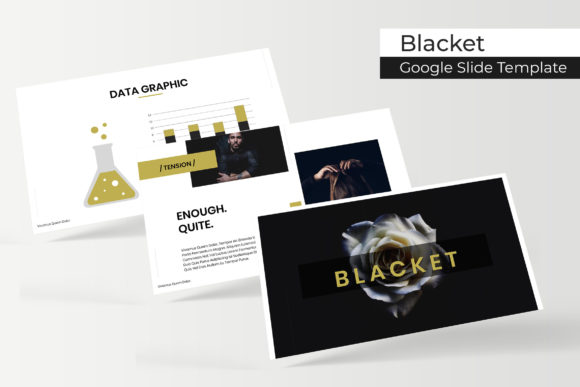
At its core, the Blacket template is a powerhouse of organization. With over 150 total slides, it provides a comprehensive library of layouts for any situation you might encounter. The true strength lies in its structure: 5 premade color palettes, each containing 30 meticulously crafted slides. This means you get five distinct, fully-realized design themes right out of the box. Whether your brand uses deep blues and teals or vibrant oranges and yellows, there’s a color scheme ready to match, ensuring immediate visual consistency across your entire deck.
But the features go far beyond color. The template includes handcrafted infographics that transform complex data into clear, engaging stories. Instead of just listing numbers, you can present them through beautifully designed charts, timelines, and process diagrams that your audience will actually remember. Dedicated section break slides help structure your narrative, giving your presentation a natural flow and making it easier for viewers to follow along. For creatives and businesses, the gallery and portfolio slides are invaluable, offering elegant ways to showcase work, case studies, or product images without a single design headache.
Practical Design for Real-World Projects
Where does a toolkit like this actually fit into your workflow? The applications are vast. For entrepreneurs and small business owners, it’s a game-changer for pitching to investors, presenting quarterly reports, or training new team members. The professional polish immediately elevates your brand’s perception. Content creators and marketers can use it to develop engaging webinar slides, social media storyboards, or client strategy presentations that command attention and communicate authority.
The design features are built for efficiency and quality. Every graphic is resizable and editable, allowing you to adjust sizes and colors to fit your exact needs without losing quality. The picture placeholders are drag-and-drop based, meaning you can insert your own images in seconds. Built on master slides, any global change—like updating a logo or altering a color accent—instantly propagates throughout the entire presentation. The pixel-perfect illustrations ensure that every icon and graphic element looks sharp and intentional, whether displayed on a laptop screen or projected onto a large monitor.
Streamlining Your Workflow and Enhancing Communication
One of the biggest time-sinks in presentation design is achieving visual harmony. With the Blacket Google Slide Template, that work is done for you. The consistent use of typography, spacing, and color across all 150+ slides means you spend less time tweaking and more time refining your message. This visual consistency is crucial for brand recognition; it reinforces your professional identity and makes your materials instantly recognizable.
Readability is another critical factor that’s been addressed. The template’s layouts prioritize clear hierarchy, ensuring that your key points stand out. Ample white space, strategic font pairings, and balanced compositions guide the viewer’s eye naturally. This thoughtful design doesn’t just look good—it improves audience engagement by reducing cognitive load, allowing your viewers to focus on your ideas rather than struggling to parse cluttered slides.
Getting Started and Making It Your Own
When you download the package, you’ll find everything you need to begin immediately. It includes 5 PPTX files for widescreen presentations, each corresponding to one of the 5 premade colors. A helpful Readme file guides you through setup, and links to download the free fonts used in the design are provided. It’s important to note that the preview photographs are for illustration only and are not included, giving you complete creative freedom to insert your own imagery.
To make the most of this asset, start by choosing the color variation that best aligns with your project’s tone or your brand’s palette. Then, explore the slide library. You don’t have to use all 150 slides; curate the ones that serve your specific story. Use the infographic slides to simplify your data, the portfolio slides to build credibility, and the section breaks to create a compelling narrative arc. Experiment with the editable graphics to tailor them to your content. The template is a starting point—a robust, professional framework that invites your unique content to take center stage.
Ultimately, tools like the Blacket template exist to bridge the gap between an idea and its professional execution. They empower individuals and small teams to produce work that rivals the output of dedicated design departments. By handling the heavy lifting of layout, consistency, and aesthetic appeal, they free you to focus on what truly matters: delivering a clear, powerful, and memorable message to your audience.