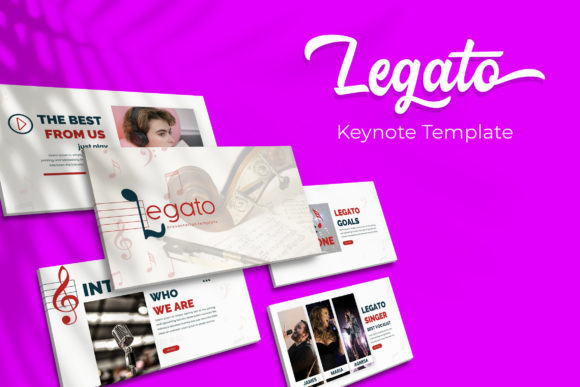
Why the Legato Keynote Template is a Game-Changer for Visual Storytelling
We’ve all been there. You’re staring at a blank presentation slide, the cursor blinking mockingly, knowing you need to pitch a brilliant idea, but the thought of building a deck from scratch feels like climbing a mountain. You need something polished, professional, and visually engaging—something that doesn’t look like a default template everyone has seen a thousand times. This is where a well-crafted presentation system, like the Legato Keynote Template, transitions from being a nice-to-have to an absolute necessity for anyone serious about their message.
Forget about wrestling with formatting and alignment for hours. The real value of a comprehensive template kit lies in its ability to act as a creative accelerator. With over 150 total slides at your fingertips, you’re not just buying a few layouts; you’re investing in a visual language. Imagine having five distinct, premade color themes ready to go—each containing 30 meticulously designed slides. That’s not just variety; it’s strategic flexibility. Whether your brand identity calls for a sleek, corporate feel or a vibrant, energetic palette, the system adapts. You simply select the color variation that resonates with your project’s mood and start populating content. It’s about maintaining that crucial visual consistency across your entire presentation, which is a cornerstone of strong brand recognition.
Beyond the Basics: A Toolkit for the Modern Professional
What sets a resource like this apart from a simple slide deck is the depth of its utility. It’s built on Master Slides, which is a non-negotiable feature for anyone who has ever had to update a logo or change a font across a 50-page deck. One edit on the master, and your entire presentation updates instantly. This pixel-perfect foundation ensures that every element is aligned and proportioned correctly, saving you from the subtle visual chaos that can undermine a professional pitch.
But let’s talk about the assets that truly make your story compelling. Handcrafted infographics are the secret weapon for transforming dry data into digestible, engaging narratives. Instead of a wall of text or a confusing chart, you can present complex information through beautifully designed visuals that guide your audience’s eye. The inclusion of dedicated section break slides is another subtle yet powerful feature. These act as visual pauses, allowing your audience to mentally reset and absorb the key takeaways before you move to the next segment of your story. It’s a simple way to control pacing and improve retention.
For entrepreneurs, marketers, and content creators, the practical applications are endless. Consider a small business owner preparing a investor pitch. They need to showcase their product, team, and market strategy with absolute clarity and professionalism. The gallery and portfolio slides become their digital showroom. For a marketing professional, these same slides are perfect for presenting campaign results, social media graphics mockups, or website design proposals. The resizable and editable graphics, along with picture placeholders with drag & drop functionality, mean you can swap in your own product shots, team photos, or client work in seconds, making the template uniquely yours without any design headaches.
Streamlining Your Workflow from Concept to Presentation
Let’s be honest, time is the one resource we can’t get back. The efficiency gained from using a structured template like Legato is immense. The package includes everything you need to get started immediately: the Keynote files in both standard and widescreen formats, a clear readme file, and—critically—the fonts used in the design. This last point is often overlooked. Nothing is more frustrating than opening a template to find missing fonts, breaking the entire aesthetic. By including a free font download link, the creators ensure the integrity of the design remains intact from the moment you open the file.
This system is particularly valuable for those working on brand identity projects. A startup developing its visual language can use the template to present mood boards, color palettes, and logo design concepts to stakeholders in a cohesive and professional manner. The consistency of the slides reinforces the seriousness of the proposal. Similarly, for educators, coaches, or consultants creating digital products or online course materials, having a library of 150+ slides means you can build extensive, visually varied course modules without repeating layouts, keeping your students engaged.
Think about the last presentation that truly impressed you. It likely wasn’t just the content; it was the delivery. Clean lines, thoughtful typography, balanced white space, and impactful visuals all played a part. That’s the level of polish a premium template kit provides. It elevates your content, making your ideas appear more credible and your brand more established. It’s a tool that serves the designer crafting a client proposal, the entrepreneur pitching for funding, and the blogger creating a workshop series with equal effectiveness.
Making It Your Own: Practical Considerations
While the template provides a stunning foundation, the magic happens when you infuse it with your unique brand voice. The five premade color schemes offer a fantastic starting point, but don’t be afraid to customize. Use the master slides to input your brand’s exact hex codes for a truly tailored look. The handcrafted infographics are not just pretty pictures; they are communication tools. Adapt them to tell your specific data story, whether you’re illustrating growth metrics, workflow processes, or comparative analysis.
One piece of practical advice: even with the best template, always test your presentation in the environment where it will be viewed. Check that text is readable from the back of a room if you’re presenting live, or that visuals are clear on a screen share for a virtual meeting. The pixel-perfect illustrations and clean typography in a template like this are designed with readability in mind, but it’s your responsibility to ensure your final content adheres to those principles.
Finally, remember that while the template includes commercial licensing, the photographs or pictures used in the preview are for illustration only. This is standard and important to note. You’ll need to source your own high-quality images that align with your brand and message, which is actually a benefit—it forces you to create a presentation that is authentically yours, not a copy of the demo.
In the end, the goal is clear communication. A powerful Keynote template is the vehicle that delivers your message with clarity, confidence, and a professional sheen that captures and holds attention. It’s about removing the friction from the design process so you can focus on what truly matters: the story you need to tell and the impact you want to make. For anyone who regularly communicates ideas, this isn’t just a download; it’s a strategic asset.