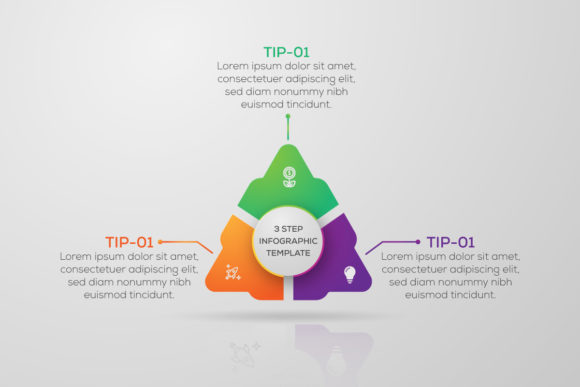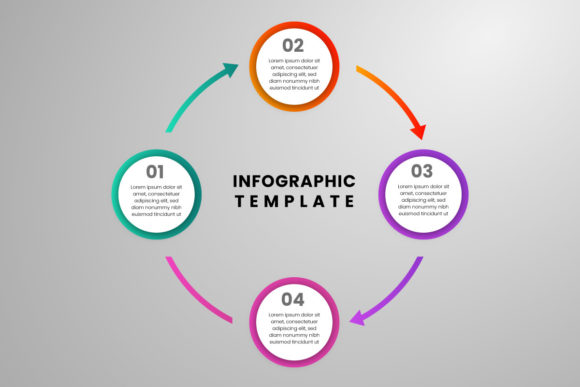
Infographics Template Design: Visualizing Your Business Timeline
Every business, whether it’s a startup finding its footing or an established company launching a new product, has a story to tell. But in a world saturated with information, a simple text-based narrative often gets lost in the noise. The most compelling stories are the ones we can see. A visual representation of your journey, your milestones, and your data doesn’t just capture attention—it builds understanding and trust. This is where the power of a well-crafted Infographics Template Design becomes an indispensable tool for any professional looking to communicate complex information with clarity and impact.
More Than Just a Timeline: A Tool for Clarity
An effective business timeline infographic does more than just list dates and events. It weaves a narrative, showing growth, evolution, and strategic milestones in a way that is instantly digestible. The right template provides the foundational structure for this story. Imagine trying to explain your company’s five-year growth to potential investors. A wall of text in a presentation is daunting. However, a clean, modern timeline with key achievements highlighted—securing funding, launching flagship products, expanding into new markets—transforms that data into a persuasive visual argument. The template’s design, with its considered layout and typography, guides the viewer’s eye along the journey, making the narrative flow logically and memorably.
The Anatomy of a Practical Design Asset
When selecting a design asset like this, its real-world utility is paramount. A premium template isn’t just about looking good; it’s about functioning seamlessly within your workflow. The details matter. A template delivered as 300 dpi RGB eps files ensures your design is print-ready for high-quality brochures or reports while also being optimized for vibrant digital screens. The promise that all main elements are editable and customizable is where the true value lies. You aren’t locked into the creator’s color scheme or layout. You can adapt the template to perfectly match your existing brand identity, swapping colors to your brand’s palette and adjusting the layout to emphasize the milestones most important to your specific audience.
The technical specifications speak to professional-grade quality. A 1200*800 pixel dimension is a versatile canvas, ideal for social media graphics, blog post headers, or slide decks. The use of a modern and highly legible typeface like Poppins demonstrates an understanding of contemporary modern typography. This sans-serif font is a workhorse—it’s clean, professional, and exceptionally readable at both large headline sizes and smaller body text, which is critical for ensuring your timeline is accessible to everyone. The inclusion of a help guide also shows foresight, making the tool accessible even to those who might be newer to professional design software like Adobe Illustrator.
From Brand Storytelling to Marketing Campaigns
The applications for a versatile Business Timeline Infographic Template Design extend far beyond a company history page. Consider its use in a variety of contexts:
- Brand Storytelling: Craft an “About Us” page or a social media series that tells the origin story of your brand, connecting with customers on a deeper, more personal level.
- Product Launches: Map out the development journey of a new product, from initial concept and research to prototyping and launch day. This builds anticipation and showcases the effort behind the innovation.
- Project Management: Visualize project phases, deliverables, and deadlines for internal team alignment or client presentations. A clear visual roadmap keeps everyone on the same page.
- Marketing Reports: Illustrate the growth of a campaign over a quarter, highlighting key metrics like engagement spikes, lead generation milestones, and conversion points.
- Investor Pitches: Summarize your company’s progress and future roadmap in a compelling, easy-to-follow slide that complements your verbal pitch.
In each scenario, the template serves as a professional framework, saving hours of design time while ensuring a polished, consistent output. It becomes a core part of your marketing assets, a reusable tool that can be adapted for different campaigns and audiences, reinforcing your brand’s visual language across all touchpoints.
Practical Guidance for Customization
Getting the most out of a template involves more than just plugging in your text. Thoughtful customization elevates it from a generic asset to a bespoke piece of communication. Start by reviewing the font pairing possibilities. While the template may use Poppins throughout, consider if a secondary font could add emphasis. Perhaps a slightly heavier weight of Poppins for key dates, or a complementary serif font for introductory text to add a touch of tradition or authority—always testing for readability.
Next, think about your content hierarchy. What is the single most important milestone on your timeline? Use color, size, or a unique icon to make it stand out. Not all events carry the same weight, and your design should reflect that. When adapting the color scheme, ensure it aligns with your primary brand colors but also maintains sufficient contrast for easy reading. The goal is visual consistency with your brand, not a chaotic clash of colors.
Finally, consider the final output. Because the files are provided in EPS and JPEG formats, you have flexibility. Use the editable EPS file in Illustrator for full customization for print materials or high-resolution digital needs. Use the JPEG for quick placements in blog posts or social media where further editing isn’t required. This dual-format approach makes the asset practical for both designers and small business owners who might be managing their own content creation. By thoughtfully applying your brand’s story to this structured design, you create a powerful visual tool that enhances audience engagement and presents your business with the professionalism it deserves.