Cuisine: A Modern Google Slides Template for Food & Design
Ever found yourself staring at a blank presentation, knowing you have a great idea but struggling to make it look as good as it sounds? For anyone in the food industry, culinary world, or even creative design space, the visual presentation is half the battle. You need something that feels fresh, organized, and professional without spending hours tweaking every single slide. That's where a well-structured template becomes your secret weapon, saving you time and elevating your message instantly.
More Than Just Slides: A Visual Toolkit for Your Brand
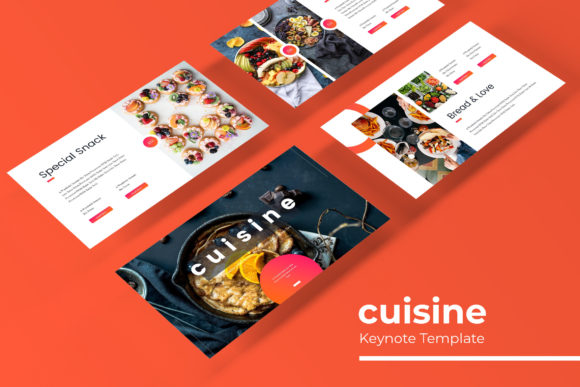
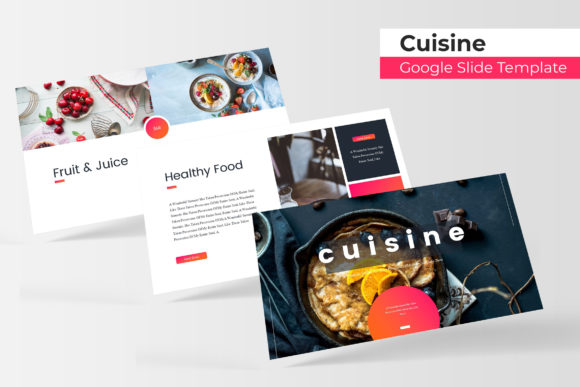
The Cuisine Google Slide Template isn't just a collection of pre-made slides; it's a comprehensive visual system designed to bring consistency and flair to your projects. With over 150 total slides built on a foundation of master slides, it offers a robust framework for building anything from a restaurant pitch deck to a culinary workshop series. The real value lies in its thoughtful organization: five premade color palettes, each containing 30 unique slides, give you a strong starting point that aligns with different brand moods—whether you're going for earthy and organic, vibrant and modern, or sleek and sophisticated. This structure eliminates the guesswork in color theory and layout, allowing you to focus on your content.
Beyond the slide count, the features are built for real-world use. The handcrafted infographics are perfect for breaking down complex data like menu nutrition facts, supply chain processes, or business growth metrics in a visually digestible way. Section break slides help you organize your narrative, guiding your audience smoothly from one idea to the next. For those who need to showcase work, the dedicated gallery and portfolio slides are invaluable. Imagine presenting a new packaging design, a series of social media graphics, or a portfolio of food photography—all within the same cohesive presentation template. This versatility makes it a powerful asset for designers creating brand guidelines, entrepreneurs pitching to investors, or food bloggers creating engaging workshop materials.
Practical Applications for Creators and Businesses
Let's talk about how this template translates into tangible projects. If you're a small business owner, you can use it to craft a compelling brand story deck for potential partners. Use the portfolio slides to display your logo design variations, packaging concepts, and branded merchandise. The consistent color themes ensure that every slide reinforces your brand identity, building recognition and professionalism. For content creators and bloggers, this template is a game-changer. Develop stunning social media graphics templates directly within the slides. Create cohesive Instagram story series or Pinterest pins by using the picture placeholders—simply drag and drop your food photography or recipe images into the pre-designed frames. The pixel-perfect illustrations can add a custom touch to your blog headers or digital product covers.
Marketing professionals will find immense value in its ability to streamline campaign presentations. Use it to lay out a new menu launch, detailing the inspiration, target audience, and rollout plan across beautifully designed slides. The resizable and editable graphics mean you can adapt any element to fit your specific marketing assets, from email newsletter headers to website banner designs. Even for personal projects, like planning a wedding reception menu or designing invitations for a dinner party, the template provides a polished, professional canvas that elevates the entire experience. It bridges the gap between a rough idea and a finished, presentation-ready product.
Key Features That Enhance Your Workflow
What makes this particular Cuisine template stand out are the details that respect your time and design needs. The foundation is built on master slides, which is crucial for maintaining consistency. Change a font or color on the master, and it updates throughout the entire presentation—a huge time-saver for ensuring brand uniformity. The drag-and-drop picture placeholder functionality is intuitive, making it easy for anyone, regardless of technical skill, to incorporate their own visuals seamlessly. This is especially important for projects where photography is central, like a culinary portfolio or a restaurant's visual menu.
The inclusion of five PPTX files (both standard and widescreen) means you're prepared for any presentation scenario, from a boardroom projector to a social media video. The readme file and free font download link are thoughtful touches that help you get started quickly without licensing hiccups. While the preview photographs are for illustration only, the template's design is structured to make your own images look their best. The section break slides are not just decorative; they serve as visual punctuation, helping your audience mentally process and transition between topics, which is key for engagement and retention during longer presentations.
Choosing and Pairing Your Typography Wisely
While the template provides a strong visual framework, the typography you choose will ultimately voice your brand's personality. The template likely uses a clean, modern typeface, but you should feel empowered to explore. Consider pairing a strong, clean sans-serif font for body text with a distinctive display or script font for headlines to add character. For a food brand, a handwritten font might add a personal, artisanal touch, while a classic serif could convey tradition and quality. Always test your font pairings within the slides to ensure readability, especially for body text that needs to be clear from a distance.
Remember, the goal is visual harmony. Your font choices should complement the color palette and imagery, not compete with them. Review the included font styles in the template to understand its intended aesthetic. If you decide to use a different premium font, ensure you have the proper commercial license for your intended use, whether it's for digital products, printed materials, or merchandise. This attention to legal detail protects your work and your brand. The right typography, paired with this structured template, can significantly improve your professional presentation, making complex information accessible and your brand message more memorable. It's about creating a cohesive visual language that speaks directly to your audience.